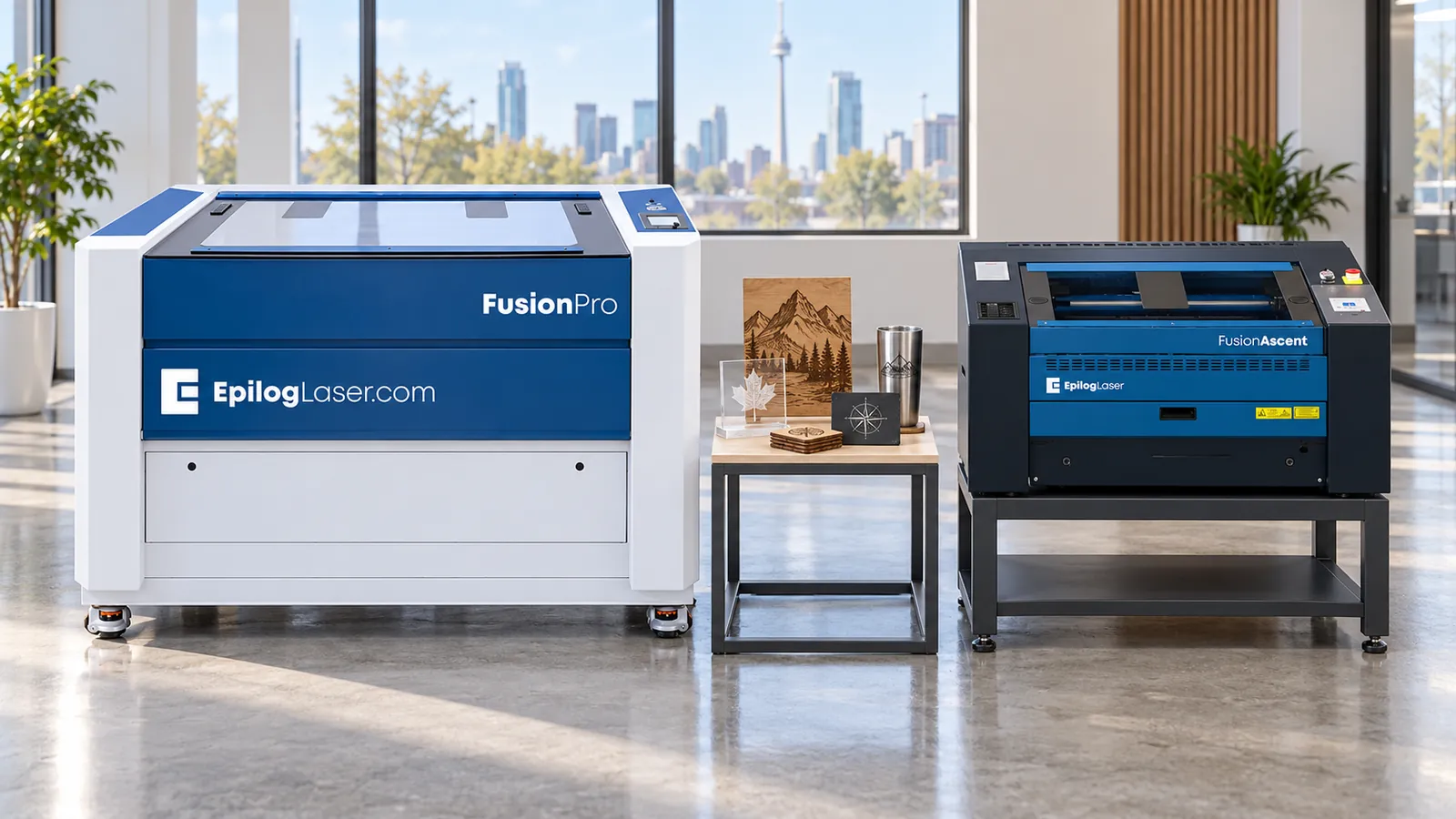
Epilog Fusion Pro vs Fusion Ascent: Which Should You Buy?
Epilog’s current CO₂ lineup has two families: the Fusion Ascent and the Fusion Pro. Both come in similar bed sizes, both use Epilog’s camera positioning, and both run from the same Epilog driver. The differences are speed, power options, part height and how far you can configure them. Here is how to choose. As Canada’s exclusive Epilog dealer, we sell and support both.
The short answer
- Choose a Fusion Ascent if you’re starting out, adding a second machine, or your work is mostly custom jobs and short runs. It costs less and does the same kinds of work.
- Choose a Fusion Pro if the laser runs most of the day, you need higher wattage for cutting, you need taller parts in the machine, or you want CO₂ and fiber in one machine.
Side-by-side specs
| Fusion Ascent | Fusion Pro | |
|---|---|---|
| Models (work area) | Ascent 12 (24″ × 12″), Ascent 24 (24″ × 24″), Ascent 36 (36″ × 24″) | Pro 24 (24″ × 24″), Pro 36 (36″ × 24″), Pro 48 (48″ × 36″) |
| Maximum engraving speed | 120 IPS | 165 IPS, with 5G acceleration |
| Maximum part height | 7″ (178 mm) | 9″ (228 mm) on the Pro 24 and 36; 12.25″ (311 mm) on the Pro 48 |
| CO₂ wattage | Ascent 12: 30–60W. Ascent 24 and 36: 40–80W | Pro 24: 60, 80 or 100W. Pro 36: 60 to 200W. Pro 48: 80 to 200W |
| Fiber | MOPA fiber as the single source: 30W on the Ascent 12, 60W on the Ascent 24 | Dual-source CO₂ plus fiber: Pro 24 60W + 30W or 80W + 60W; Pro 36 80W + 30W or 100W + 60W; Pro 48 100W + 60W or 120W + 60W |
| Pass-through | CO₂ configurations only, with the optional Class 4 conversion kit, for material up to 2″ thick | Ask us for the current options by model |
| Laser class (as shipped) | Class 2 enclosed | Class 2 enclosed |
| Power | Requirements vary by model and wattage; confirm supply and receptacle before ordering | Requirements vary by model and wattage; confirm supply and receptacle before ordering |
Specifications are from Epilog’s current published data. Ask us to confirm the exact configuration, options and availability before you order.
Where the Fusion Pro earns its price
Speed on long runs. 165 IPS against 120 IPS matters when you engrave large areas or run the same job all day. On short, text-only jobs the gap is smaller, because acceleration, focus and loading time add up too.
Higher wattage. If you cut thick acrylic or wood every day, the Pro’s higher CO₂ options (up to 200W on the Pro 36 and 48) let you cut faster and in one pass.
Dual source. Only the Fusion Pro puts CO₂ and fiber in one machine. If you engrave wood and acrylic and also mark bare stainless, one dual-source Pro can replace two machines.
Taller parts. The Pro 48 takes parts up to 12.25″ tall, which helps with large awards, boxes and fixtures.
Bigger bed. The Pro 48’s 48″ × 36″ bed has no Ascent equivalent.
Where the Fusion Ascent makes more sense
Lower entry cost for the same bed sizes up to 36″ × 24″.
Fiber without dual-source cost. If you only need to mark metal, an Ascent 12 or 24 with a MOPA fiber source is a dedicated metal marker on a full-size bed.
Pass-through. Available on CO₂ configurations only. With the optional Class 4 conversion kit, the Ascent takes material up to 2″ thick through the machine for long signs and panels. Note that the kit changes the laser to Class 4, so you need the guarding, eyewear and controlled-area rules that go with an open beam.
Most shops’ everyday work. Name badges, plaques, signs, acrylic and wood cutting, lamacoids and tumblers are all well within the Ascent’s range.
What about the Fusion Galvo, Edge and Maker?
Fusion Galvo G100. A galvo marking system, not a flatbed engraver. It moves the beam with mirrors and marks very fast within a small field. It suits high-volume marking of small parts and is often bought alongside a flatbed, not instead of one.
Fusion Edge and Fusion Maker. These are older models with limited availability. A used Edge or Maker can still be good value, and we service them, but we don’t recommend them over a current Ascent for a new purchase.
Quick decision guide
- Will the laser run most of the working day? Fusion Pro.
- Do you need CO₂ and fiber in one machine? Fusion Pro, dual-source.
- Do you need parts taller than 7″, or a 48″ bed? Fusion Pro.
- Do you need pass-through for long material? Fusion Ascent CO₂ with the conversion kit, or ask us about Fusion Pro options.
- Starting out, or mostly custom one-offs? Fusion Ascent.
- Marking only metal? Fusion Ascent 12 or 24 with MOPA fiber, or a Fusion Galvo for high volume.
See them run
The best way to decide is to run your own parts on both. Book a demo at our Delta, BC or Mississauga, ON showroom (by appointment), or send us samples to test. Contact us, or start with the Product Finder.
Related: CO₂ vs fiber laser and How much does a laser engraver cost in Canada?
Common questions
Is the Fusion Ascent replacing the Fusion Pro?
No. The Fusion Ascent sits below the Fusion Pro in Epilog's current line. The Fusion Pro remains Epilog's high-production model, with faster engraving and dual-source options.
Which Epilog laser is the entry model?
The Fusion Ascent 12, with a 24 × 12 inch work area and a choice of CO₂ or MOPA fiber source.
Can I get CO₂ and fiber in one Epilog machine?
Yes, on the Fusion Pro 24, 36 and 48 with a dual-source configuration. The Fusion Ascent 12 and 24 offer CO₂ or MOPA fiber, but one source per machine.
Questions About a Laser?
Call or send us your application. Demos are available at our Delta and Mississauga showrooms by appointment, or live online: send us your files and we'll run your parts on a real laser while you watch over video call.