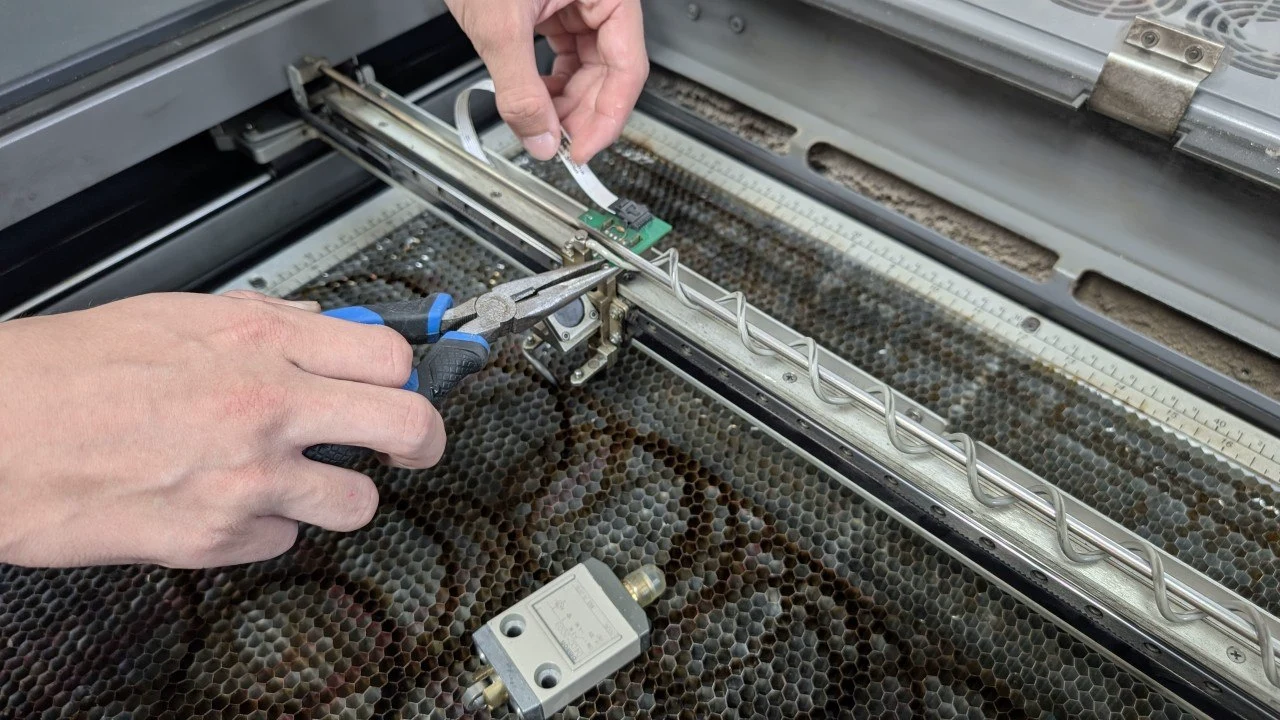
Laser Engraver Maintenance: A Practical Epilog Checklist
Smoke residue on optics can reduce available laser power. Offcuts beneath the cutting table can become fuel for a fire. Regular cleaning also gives operators a chance to notice changes in performance before a busy production run. See Epilog’s maintenance advice and fire-prevention guidance.
Use this checklist to organise your routine around your exact model’s manual and applicable procedures. Epilog’s published schedules differ: its general Fusion cleaning guide lists weekly tasks, while its carriage-optics procedure specifies daily and monthly work. Confirm which instructions apply to your machine. Materials such as wood and acrylic, and heavier workloads, can require more frequent cleaning.
Before you clean
Switch off and unplug the laser before cleaning. Follow the model’s access and disassembly instructions. Epilog states this precaution in its Legend 36EXT cleaning guidance.
Keep approved optics cleaner, clean cotton swabs or lens tissue, a soft cloth and a small brush or vacuum available. For Fusion Maker, Edge and Pro 24/36 systems, Epilog permits mild household cleaner on hard surfaces but excludes optics. Its cleaning instructions prohibit isopropyl and denatured alcohol on the optics.
Use approved lens-cleaning solution and fresh cleaning material. Clean gently and dry the optics as directed before reassembly.
Daily: optics and operating checks
The following combines manufacturer guidance with a suggested pre-job routine.
- Maintain the carriage optics. Epilog’s Fusion Maker, Edge and Pro optics procedure calls for daily lens and carriage-mirror cleaning. Additional steering mirrors need periodic inspection rather than daily cleaning. Follow the procedure applicable to your machine.
- Clear loose scraps. Check beneath the cutting table and remove accumulated offcuts.
- Check extraction. Before processing material, confirm that the extractor is running and its hoses and extraction components are correctly positioned.
- Check air assist. Verify operation as your model requires. Epilog’s Fusion Series manual, page 122, requires air assist during vector cutting to reduce fire risk.
Never leave the laser operating unattended. Epilog’s fire guidance also stresses removing debris beneath the vector grid.
Weekly: rails and the interior
Epilog’s general Fusion cleaning guide lists optics, the area beneath the cutting table, Y-axis rails and the interior workspace as weekly tasks. Keep the daily carriage-optics work where that separate procedure applies.
- Remove the grid and crumb trays as instructed. Clear debris with a brush or vacuum and clean residue using the specified cleaner.
- Wipe the guide rails and exposed interior surfaces using your model’s procedure.
- Check the lubrication instructions before applying grease.
Epilog’s maintenance white paper also describes table and bearing-rail cleaning and directs operators to their machine’s manual.
Monthly: fans, focus and model-specific maintenance
Epilog’s general preventive maintenance schedule lists monthly fan cleaning, bearing cleaning and lubrication, alignment checks, and manual or automatic focus verification. Apply these tasks according to your machine’s design and instructions.
- Optics: complete the detailed monthly cleaning where the Fusion carriage-optics procedure applies.
- Fans: remove dust using the model’s cleaning procedure.
- Focus and alignment: follow the specified checks; request support if correction is needed and you are unsure how to proceed.
- Bearings: identify the rail design first. The Fusion cleaning PDF describes a sealed, internally lubricated X-axis guide: frequent lubrication is unnecessary, and added lubricant can attract debris and cause wear. Epilog provides a separate IKO rail greasing procedure for another design.
The Fusion cleaning PDF also calls for keeping laser-tube heat sinks clear: dust impairs cooling and can cause overheating. Use the applicable cleaning interval for your machine.
Keep longer intervals on the calendar. The general schedule includes quarterly exhaust vent and duct cleaning; the Fusion cleaning guide specifies six-month plenum cleaning. Both include annual preventive maintenance. Confirm the applicable schedule with support if the documents differ for your system.
Exhaust and filters: include the extractor
Follow the separate manual for your fume extraction system.
Donaldson BOFA’s housekeeping guidance recommends daily checks of extraction placement and operation, weekly checks for damage and correct operation, and monthly checks for hose blockages, dust or odour carryover, and smooth fan operation. It restricts component testing and replacement to trained maintenance technicians.
As a suggested daily check, review the extractor’s filter display. The BOFA AD Oracle iQ W3 manual, sections 6.2–6.5, calls for attention when a blocked-filter indication appears or fume removal becomes ineffective. It warns against operating with blocked filters. Follow your unit’s replacement procedure and act when those conditions arise.
Signs it is time to request support
Epilog identifies these warning signs:
- Reduced engraving quality or inconsistent cutting
- Changes in power or performance
- Unusual noises or movement
- Excessive smoke or residue
- Frequent alarms or error messages
Request support for persistent performance issues. Epilog recommends professional assistance for alignment problems, power fluctuations, laser-source concerns, and advanced troubleshooting or calibration.
Requesting support in Canada
Synergy is Canada’s exclusive Epilog dealer. Start a service request through our support portal, which is listed on our contact page.
To help describe the issue, include your model, serial number, location, materials, symptoms, photos or error messages, and the cleaning already completed. These are suggested details to include.
For service information, see our preventive maintenance page.
Questions About a Laser?
Call or send us your application. Demos are available at our Delta and Mississauga showrooms by appointment, or live online: send us your files and we'll run your parts on a real laser while you watch over video call.